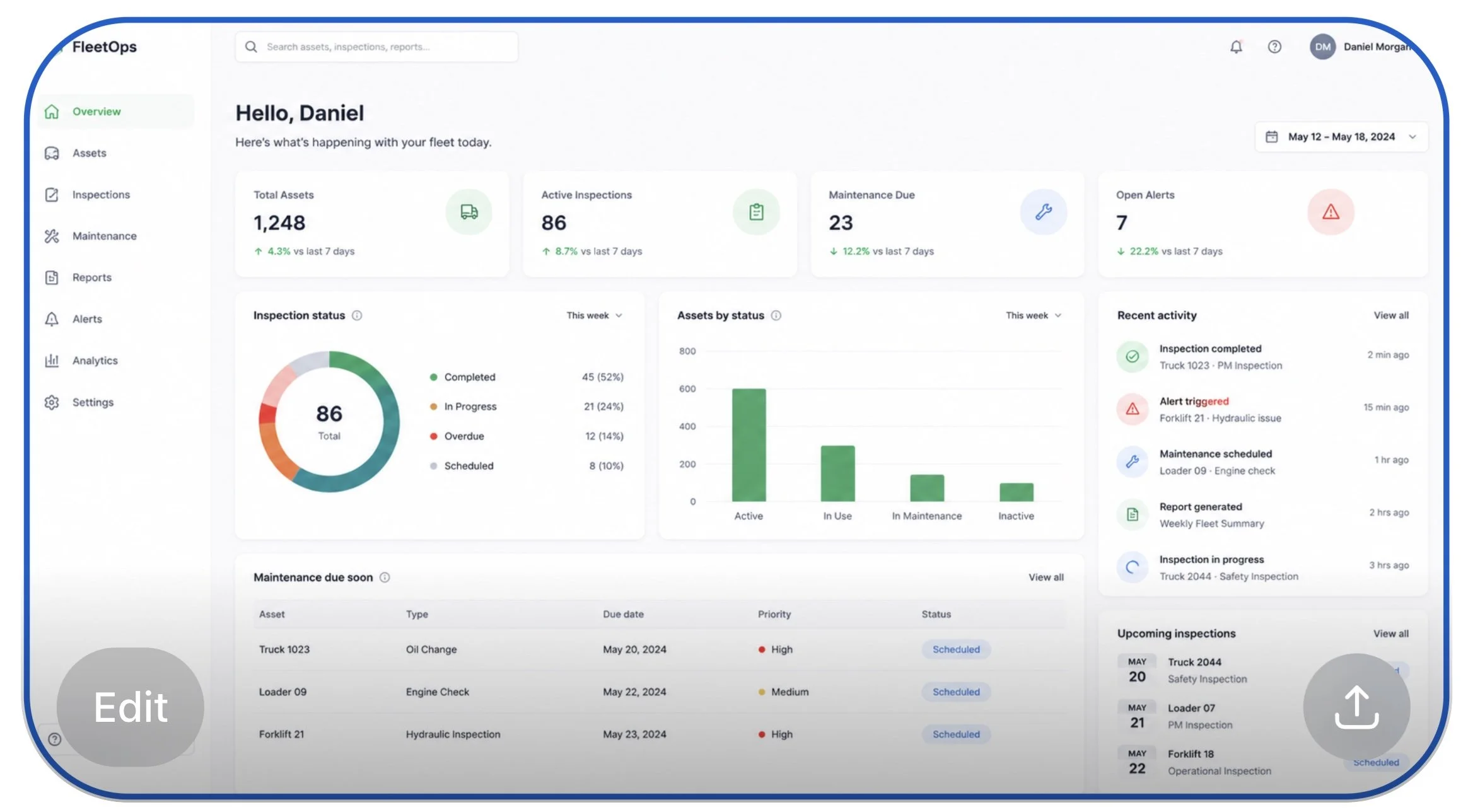
Improving conversational UX for an enterprise AI assistant
Improving conversational UX for an enterprise AI assistant

Refining prompts, system messaging, and conversational guidance within a fleet management platform to create clearer, more actionable user experiences.

Role
Senior UX Writer | Content Designer

Focus areas
Conversational UX · Prompt refinement · Enterprise systems · Content clarity · UX writing

Some visuals and product details have been generalized due to confidentiality requirements. The UX writing process and content strategy reflect my actual contributions.
Overview
This project focused on improving conversational UX within an enterprise AI assistant used in a fleet management environment.
The assistant helped users complete operational tasks, access fleet information, navigate workflows, and quickly locate system data within a complex enterprise platform.
My role centered on refining prompts, improving response clarity, simplifying terminology, and creating more consistent conversational patterns that better supported usability and user goals.
Because the product operated within a highly technical environment, the experience needed language that felt clear, actionable, and easy to scan without overwhelming users with system terminology or unnecessary complexity.
I collaborated closely with product, design, and engineering teams to help create conversational experiences that aligned with both operational workflows and user expectations. The work emphasized clarity, consistency, and usability across AI-assisted interactions while maintaining a scalable approach to enterprise content design.
My Role
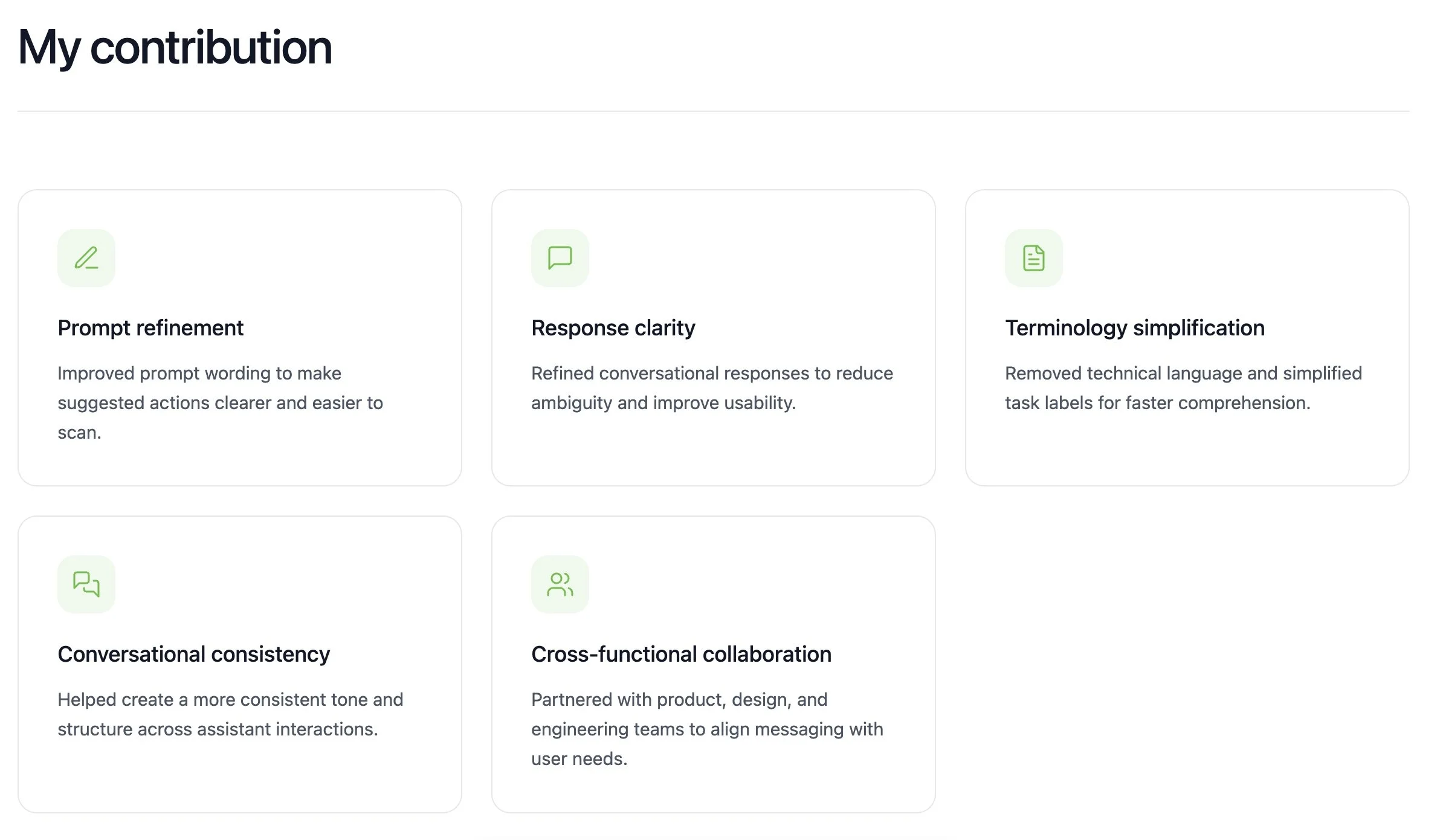
As the UX Writer and Content Designer, I contributed conversational content and messaging improvements for the enterprise AI assistant experience.
My work focused on refining prompts, improving response clarity, simplifying terminology, and creating more consistent conversational patterns across the assistant experience.
Key contributions included:
• Improving prompt wording to make actions easier to understand and scan quickly
• Refining conversational responses to reduce ambiguity and support usability
• Simplifying technical terminology into more user-centered language
• Creating clearer guidance and more actionable system messaging
• Supporting consistency across AI-assisted interactions
• Collaborating with product, design, and engineering teams throughout the process
My role emphasized clarity, usability, and scalable content design within a complex enterprise environment.
The Problem
The enterprise AI assistant supported a wide range of operational tasks, but many prompts and responses were overly technical, inconsistent, or difficult to scan quickly.
Users often needed to navigate complex workflows while working in fast-paced operational environments, making clarity and efficiency especially important. Some prompts relied heavily on system terminology, while certain responses lacked actionable guidance or clear next steps.
The experience needed more consistent conversational patterns, simplified terminology, and clearer messaging that could help users quickly understand available actions and complete tasks with confidence.
Because the assistant existed within a highly technical enterprise platform, the challenge was balancing operational accuracy with language that felt intuitive, concise, and user-centered.
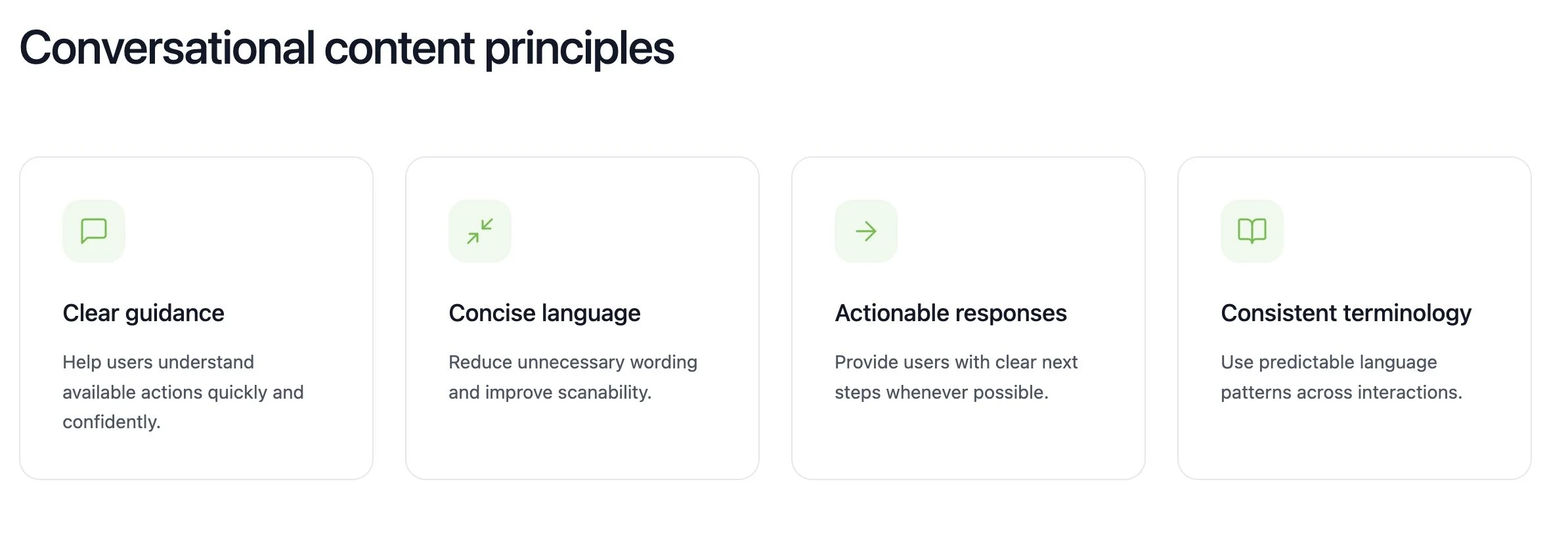
Conversational Content Principles
To improve usability and consistency across the assistant experience, I focused on a set of conversational UX principles that guided content decisions throughout the project.
Clear guidance
Users should quickly understand available actions and system responses without needing to interpret technical language.
Concise language
Responses and prompts should be easy to scan and focused on the most important information.
Actionable messaging
Whenever possible, the assistant should provide users with clear next steps or guidance to help them move forward confidently.
Consistent terminology
Language patterns and terminology should remain predictable across workflows to reduce confusion and support usability.
These principles helped create a more intuitive conversational experience while supporting the operational needs of a complex enterprise platform.
UX Writing Improvements
A major focus of this project was improving clarity, reducing unnecessary complexity, and creating more actionable conversational guidance throughout the assistant experience.
Many original prompts and responses relied heavily on technical terminology or included unnecessary wording that increased cognitive load and made interactions harder to scan quickly.
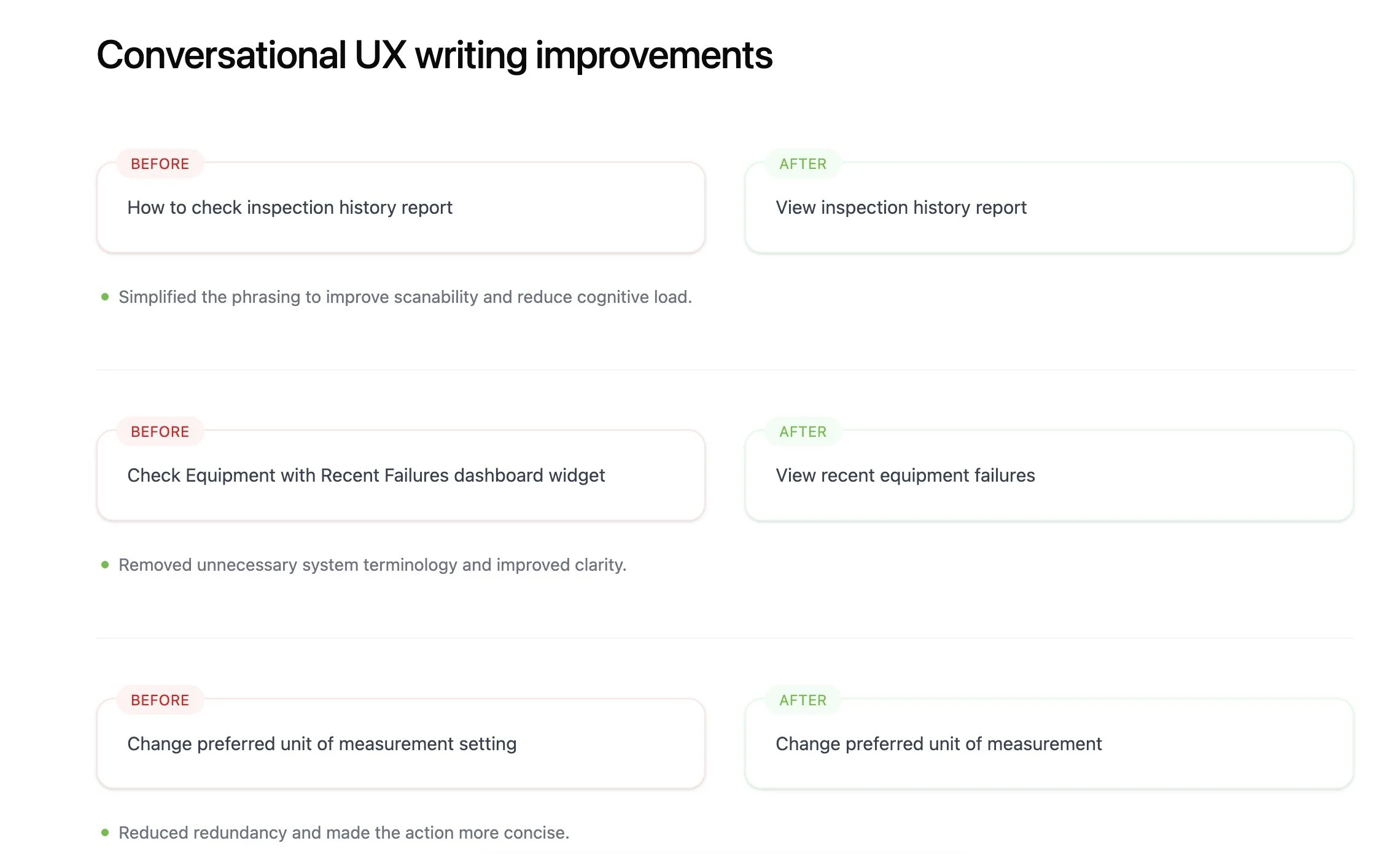
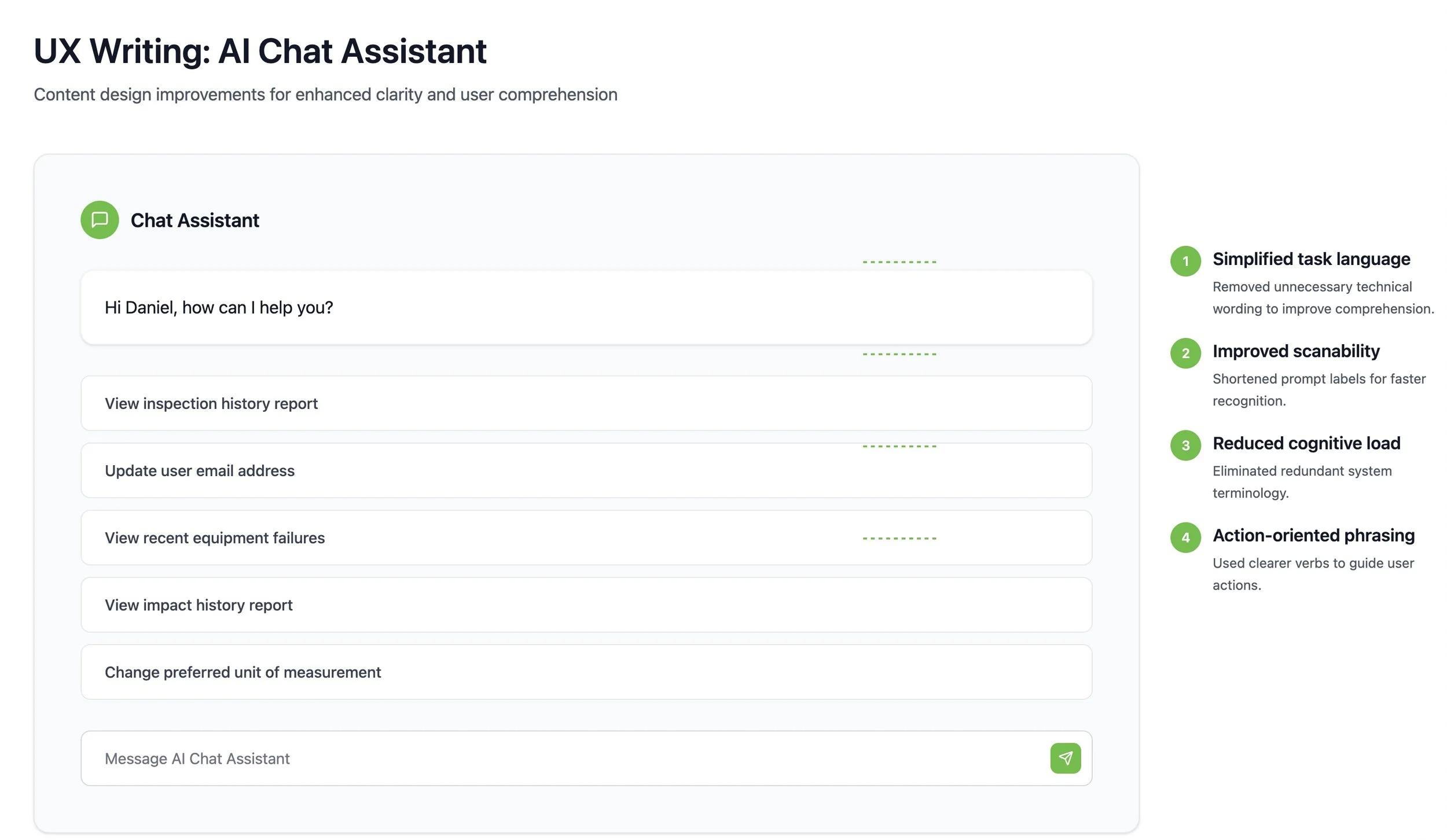
Below are a few examples of how conversational UX writing improvements helped simplify the experience.
Before
“How to check inspection history report”
After
“View inspection history report”
Why it improved the experience
Simplified the phrasing to improve scanability and reduce cognitive load.
Before
“Check Equipment with Recent Failures dashboard widget”
After
“View recent equipment failures”
Why it improved the experience
Removed unnecessary system terminology and improved clarity.
Before
“Change preferred unit of measurement setting”
After
“Change preferred unit of measurement”
Why it improved the experience
Reduced redundancy and made the action more concise.
These refinements helped create interactions that felt clearer, more intuitive, and easier to navigate within a fast-paced operational environment.
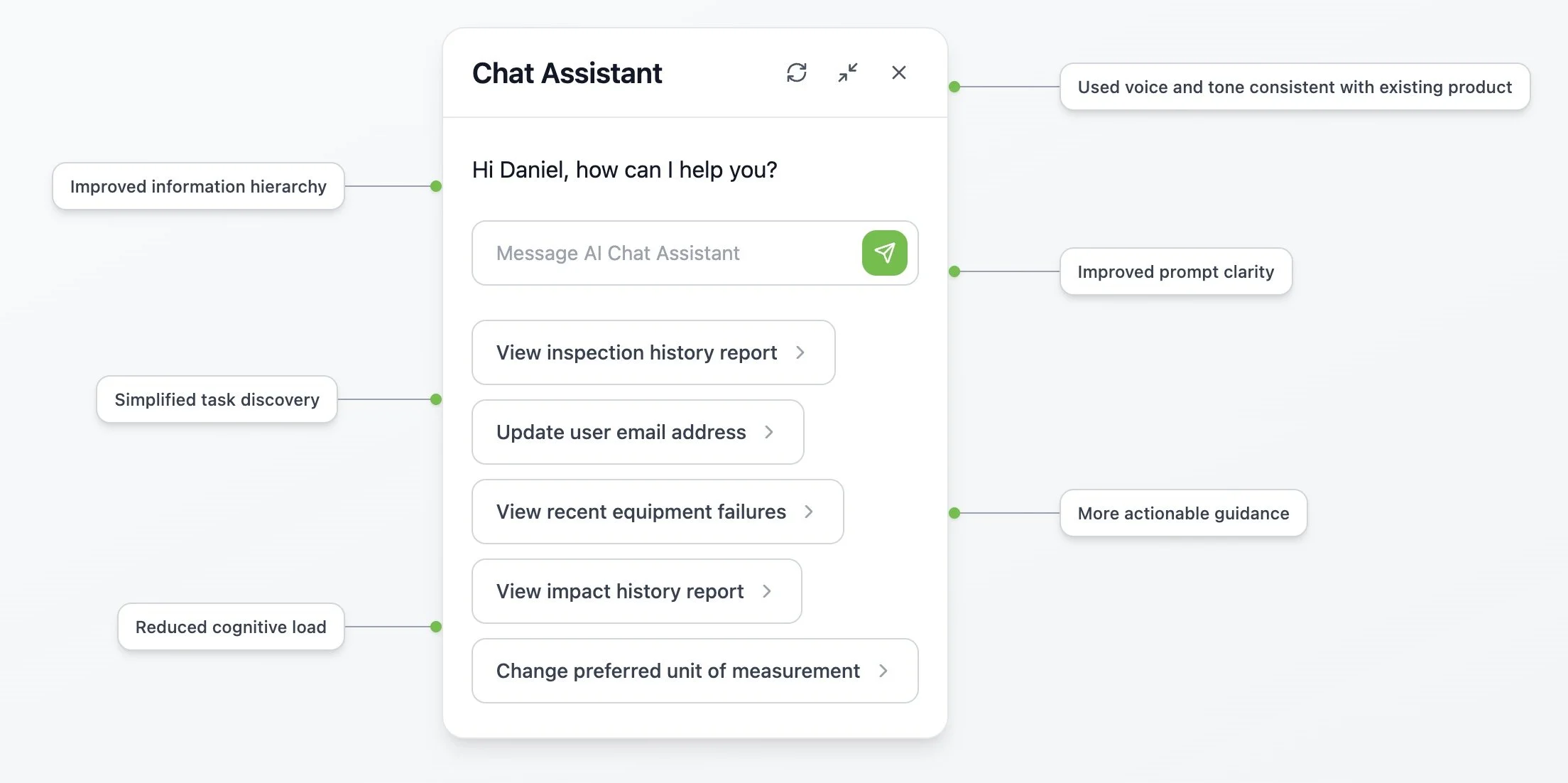
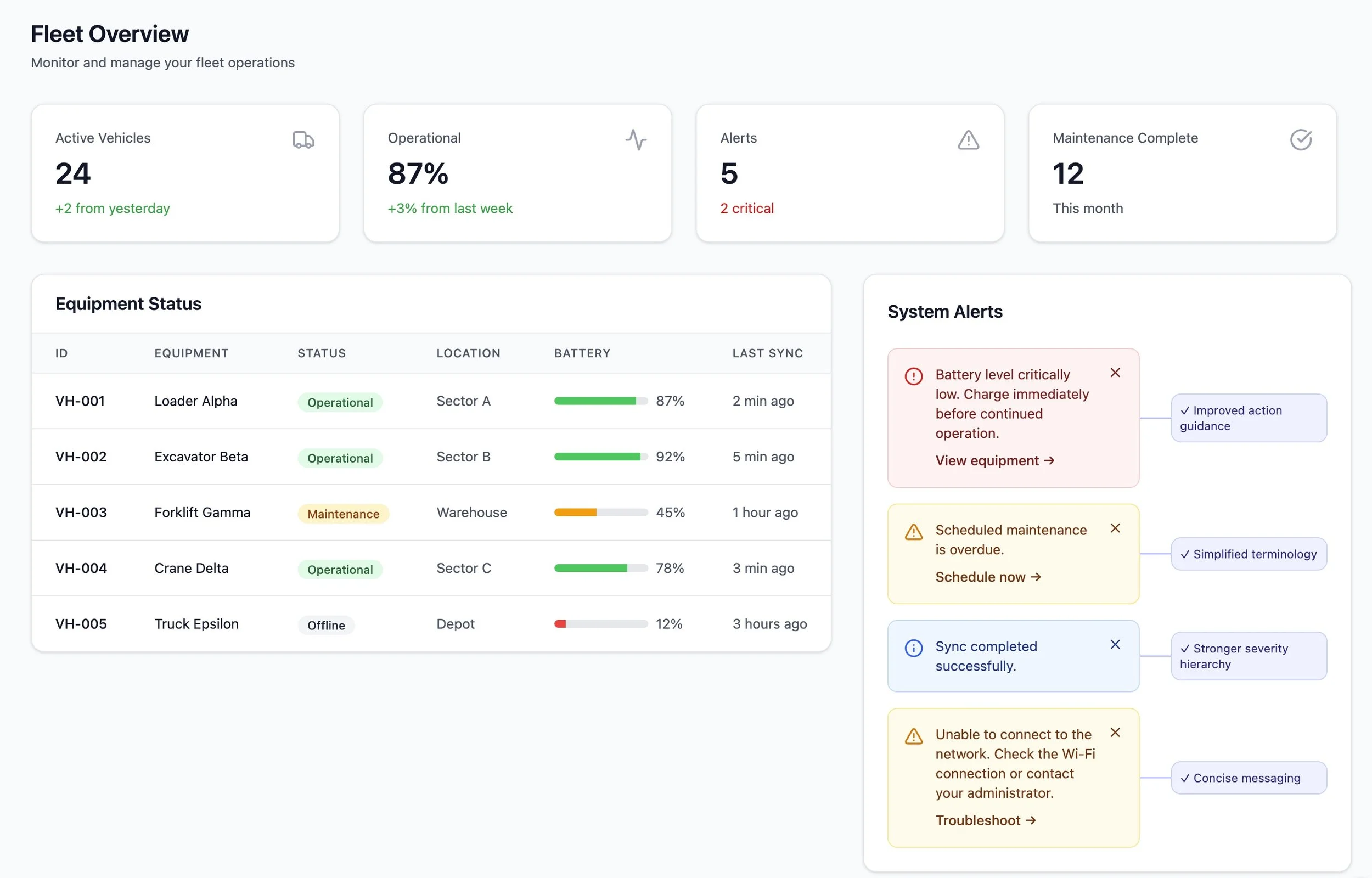
Annotated Interface Breakdown
The assistant experience relied heavily on clear hierarchy, concise language, and predictable conversational patterns to support users working within a complex enterprise platform.
Several UX writing decisions focused on improving scanability, reducing ambiguity, and helping users understand available actions more quickly.
Key conversational UX improvements included:
Simplified task language
Technical or system-centered terminology was replaced with clearer, action-oriented language that felt more intuitive to users.
Improved scanability
Prompt labels and responses were shortened and structured to support faster recognition and easier navigation.
Reduced cognitive load
Unnecessary wording and redundant system language were removed to help users focus on essential information.
Action-oriented phrasing
Prompts and responses emphasized clear next steps to better support task completion and usability.
Consistent terminology
Language patterns were standardized across interactions to create a more predictable and cohesive conversational experience.
These refinements helped create a cleaner, more user-centered interface while maintaining the operational accuracy required within an enterprise environment.
Outcomes & Learnings
This project reinforced the importance of clarity, consistency, and actionable guidance within conversational interfaces.
By simplifying terminology, refining prompts, and improving response structure, the assistant experience became easier to scan, easier to understand, and more supportive of user goals within a complex operational environment.
The work also highlighted how small UX writing changes can significantly improve usability, especially in enterprise systems where users often need to complete tasks quickly and efficiently.
One of the biggest takeaways from this project was the importance of balancing operational accuracy with conversational simplicity. Even within highly technical environments, users benefit from language that feels intuitive, concise, and human-centered.
The project further strengthened my interest in conversational UX, enterprise systems, and scalable content design that supports both product teams and end users.