Building an enterprise Help Center
To protect confidential information, I have generalized product details and redacted proprietary information.
Enterprise users needed clear, trustworthy guidance across a complex product ecosystem.
I created the Help Center’s information architecture, wrote new articles, edited existing articles, and established content standards that supported both direct self-service and an in-product AI assistant.
Problem:
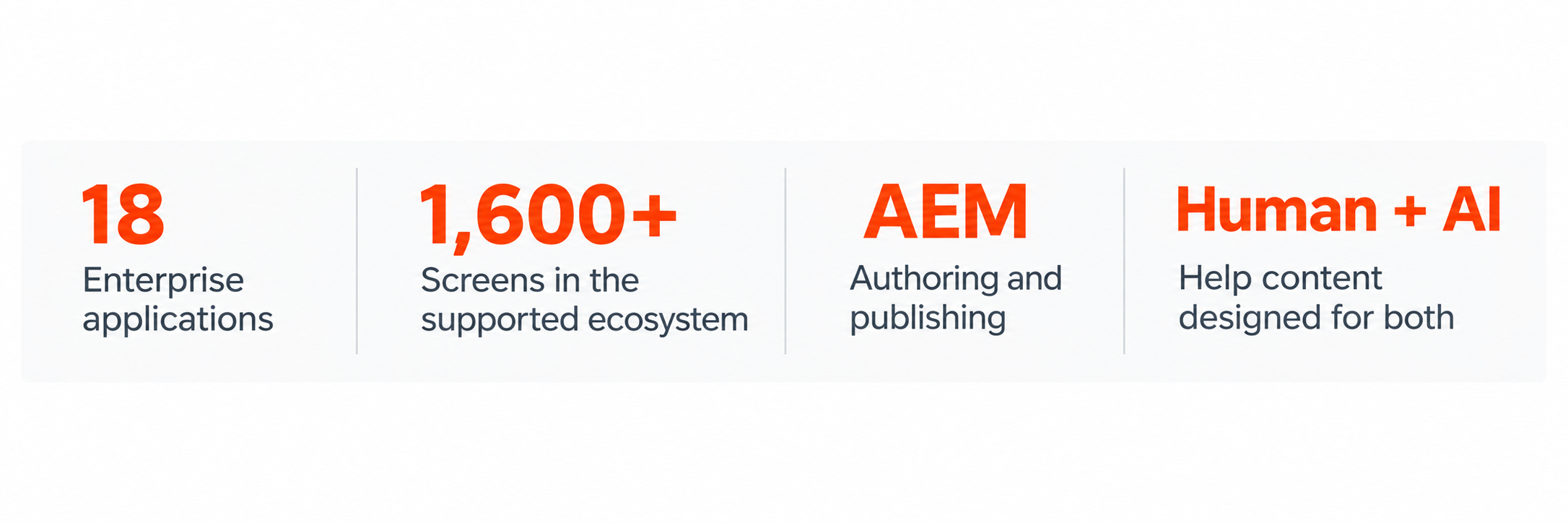
Help content for 18 enterprise applications and more than 1,600 screens lacked a unified structure, consistent standards, and a scalable way for users to find reliable answers.
Solution:
Created a centralized, accessible Help Center, supported by a user-centered information architecture, reusable content patterns, editorial standards, and governance processes.
Impact:
Improved the consistency, findability, and maintainability of product support content while creating a scalable knowledge foundation for customers, support teams, and future AI-assisted experiences.
Role:
Senior UX Writer / Content Designer
Scope:
Information architecture, content strategy, UX writing, content governance, accessibility, AI-ready content, and UAT
Users work across large enterprise platforms with specialized applications, unfamiliar terminology, and multistep operational workflows.
Product knowledge was difficult to find and was not organized consistently enough to support either self-service help or reliable AI-generated answers. We needed a structured content system that could serve users directly and provide the AI assistant with accurate source material.
the Challenge
2. my Role
I led the content work from structure through publishing. I defined the Help Center architecture, created reusable templates for application introductions and task articles, wrote and edited content, and authored and maintained articles in our CMS.
I also established standards for terminology, voice and tone, accessibility, screenshots, links, metadata, and content maintenance. I worked with designers, product partners, and engineers to keep the content aligned with the product experience.
Role: Senior UX Writer and Content Designer
My responsibilities:
Created the Help Center information architecture
Developed reusable article types and templates
Wrote and edited application introductions and task-based articles
Authored and maintained content in AEM
Established terminology, voice, tone, and accessibility standards
Partnered with designers, developers, product teams, and subject-matter experts
Helped name the AI assistant and define its voice and tone
Conducted chatbot UAT and documented content defects
Improved response structure, links, system state, and recovery content
3. creating the Architecture
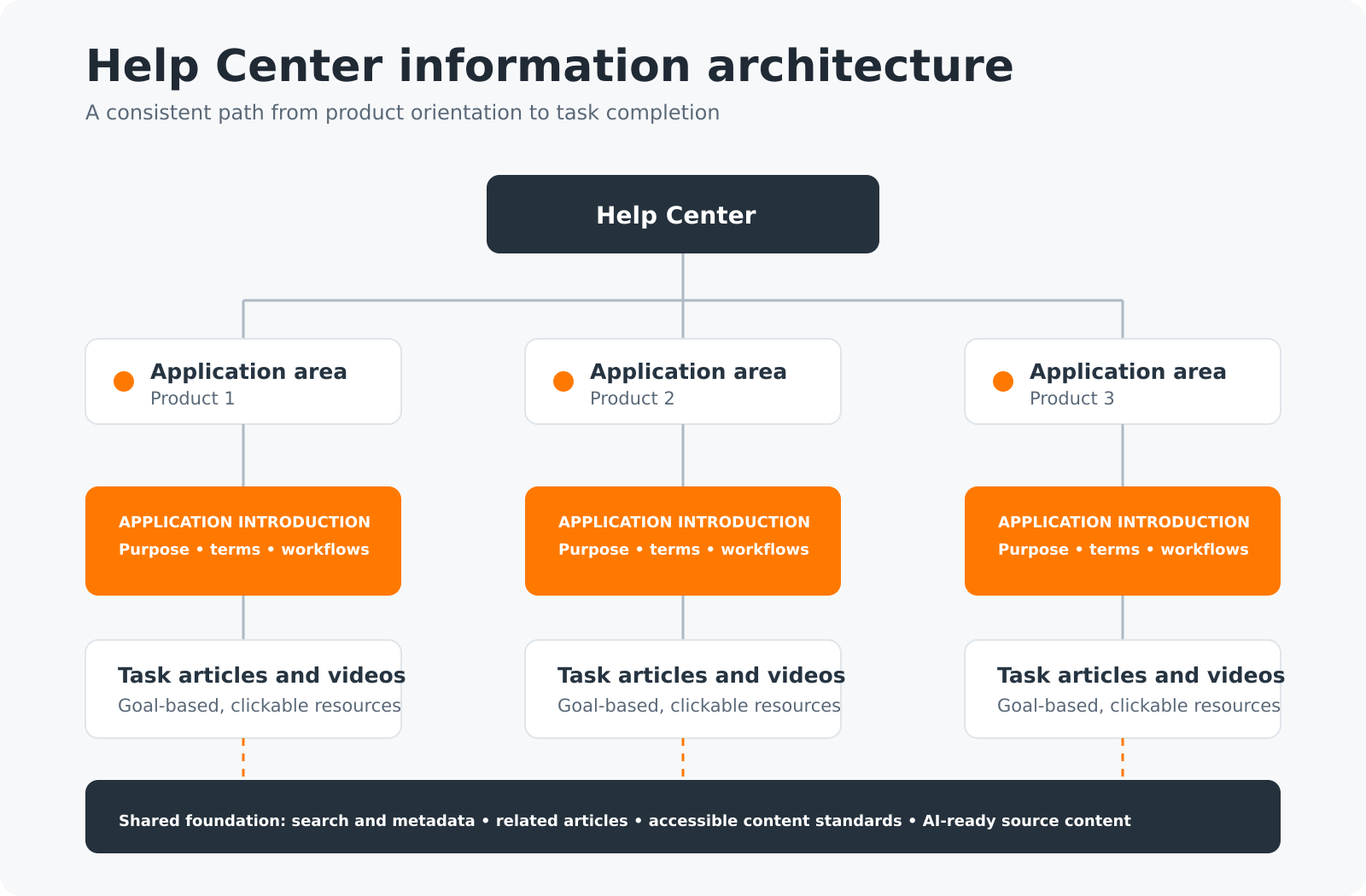
I organized the Help Center around user intent rather than the product’s internal structure. Application introductions helped users understand each product area, while task-based articles gave them a direct path to completing a specific goal.
Help Center
Application introductions
Purpose
Features and terminology
Reports
Common workflows
Task-based articles
Goal-based titles
Brief context
Numbered instructions
Annotated screenshots
Completion or recovery guidance
Shared content foundation
Search and metadata
Related articles
AI assistant source content
This structure gave new users enough context to understand an application while allowing experienced users to go directly to the task they needed.
4. Designing a repeatable article template
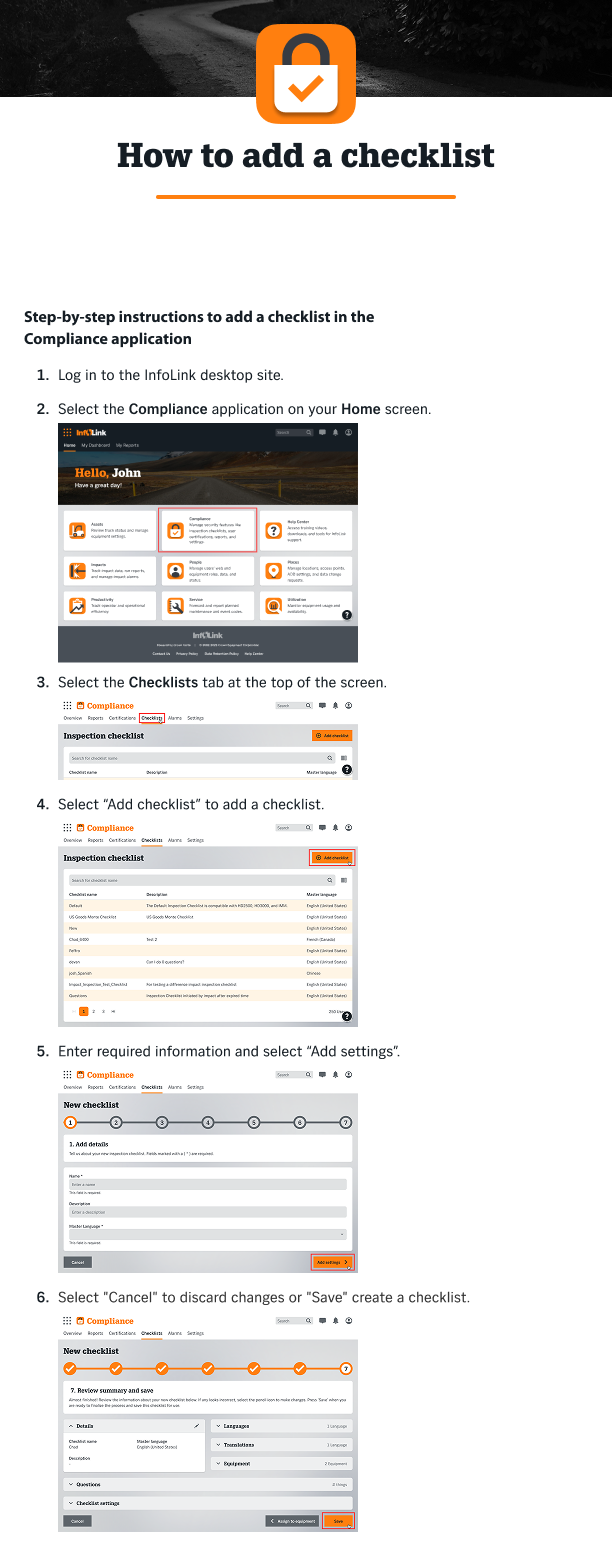
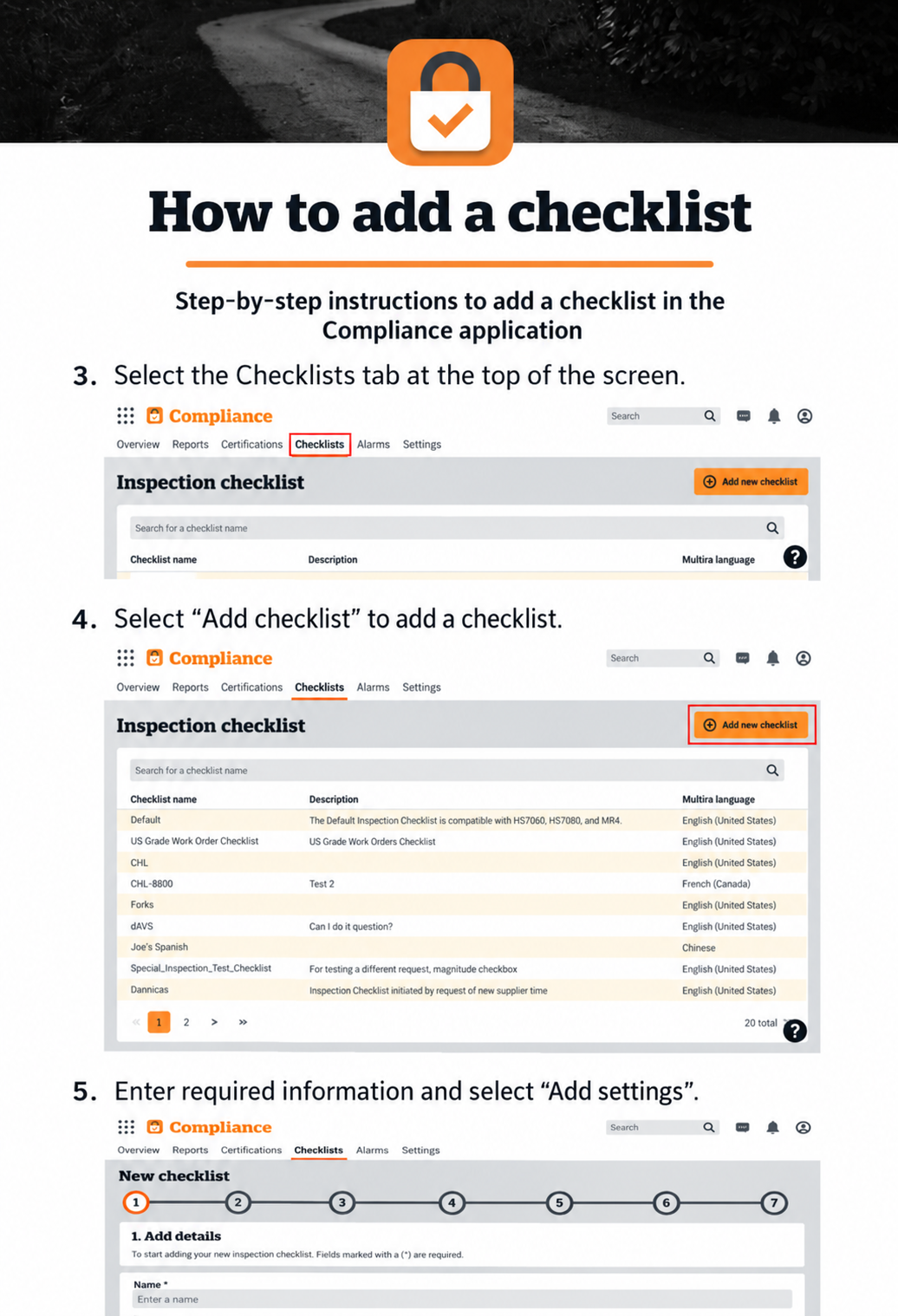
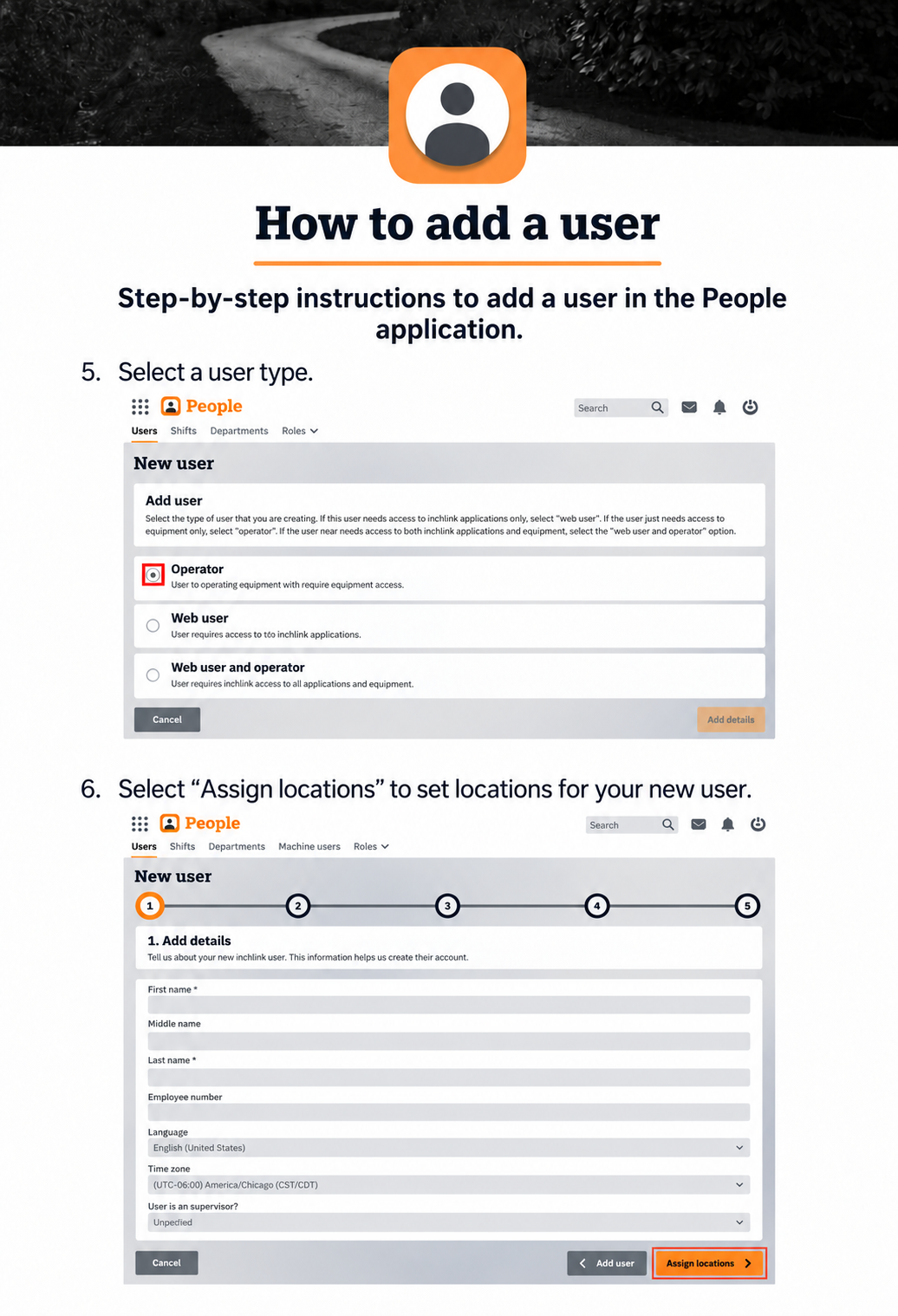
I created a reusable pattern for task-based guidance. Each article used:
A clear, goal-based title
A short description of the task
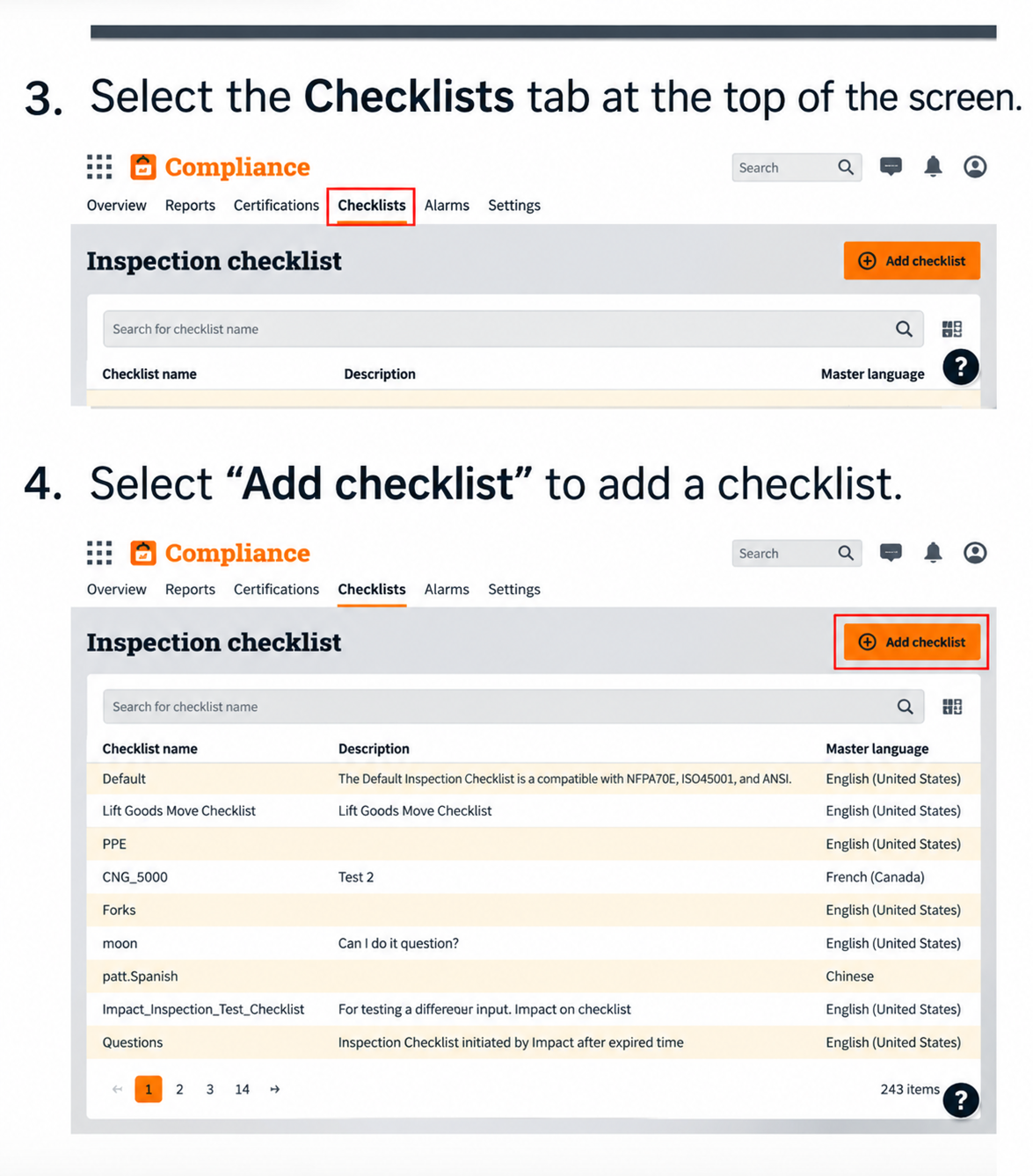
Numbered, actionable steps
Exact interface labels
Targeted screenshots that show users where to act
Completion, confirmation, or recovery guidance when needed
This model made complex workflows easier to scan and gave users a consistent experience regardless of the application they were using.
5. Building a foundation for the AI assistant
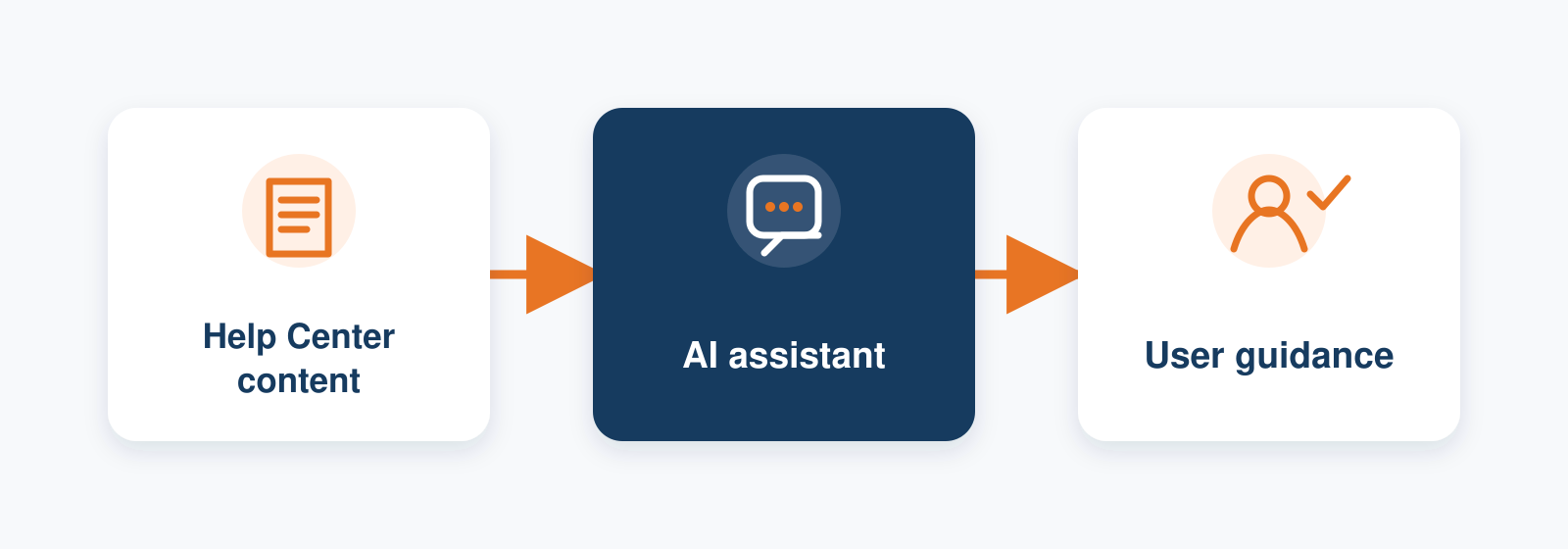
The Help Center also became a foundation for conversational support. Its structured articles, consistent terminology, links, and metadata gave the in-product AI assistant a trusted source for answering questions and directing users to the right next step.
I contributed to the assistant’s naming, voice and tone, response patterns, and user experience. I helped ensure the assistant sounded clear, capable, and human—not overly technical or generic.
6. the Impact
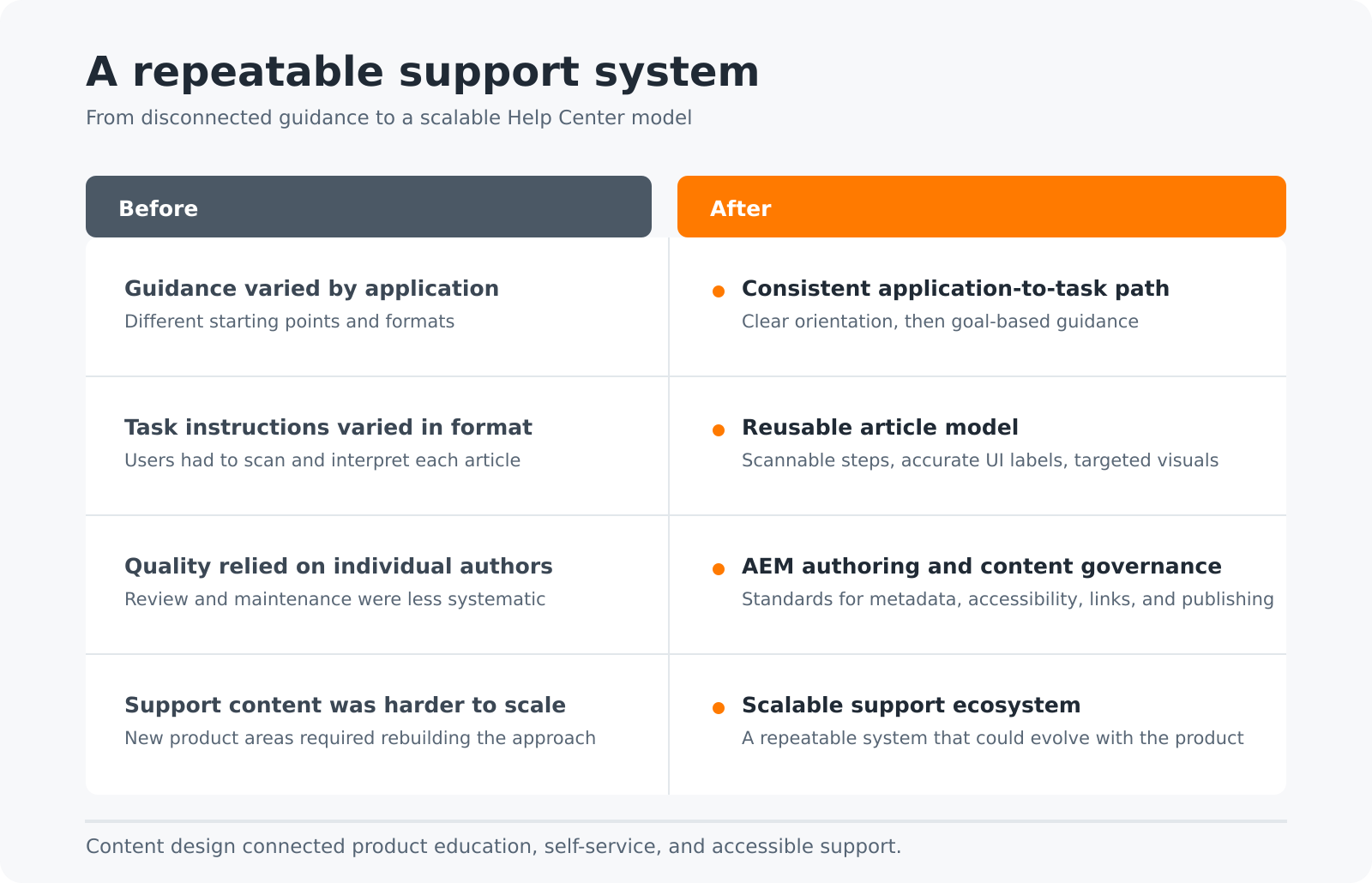
The Help Center gave users a clearer path from the application to the specific guidance needed to complete a task. Consistent article structures, terminology, and navigation reduced the effort required to locate and understand support information.
For the product team, reusable templates and governance standards established a repeatable process for creating, reviewing, and maintaining content as features changed. This shifted the Help Center from a collection of individual articles into a connected support system.
The resulting structure also prepared the content for broader use across self-service support, accessible product education, and future AI-assisted experiences.